
When a hosting company is breached, the damage rarely stops at the hosting company. Your website files, your email and the passwords that open them all live on its servers. DreamHost has now confirmed an attack on the server behind its browser-based File Manager, with activity reported to have started around August and been found on 23 October 2026. This guide explains what DreamHost and the press have said, what to reset, and how to check your own site and mailboxes. If you do not use DreamHost, the same list works for any host. We have not tested anything on DreamHost systems and nothing here describes how to attack them.
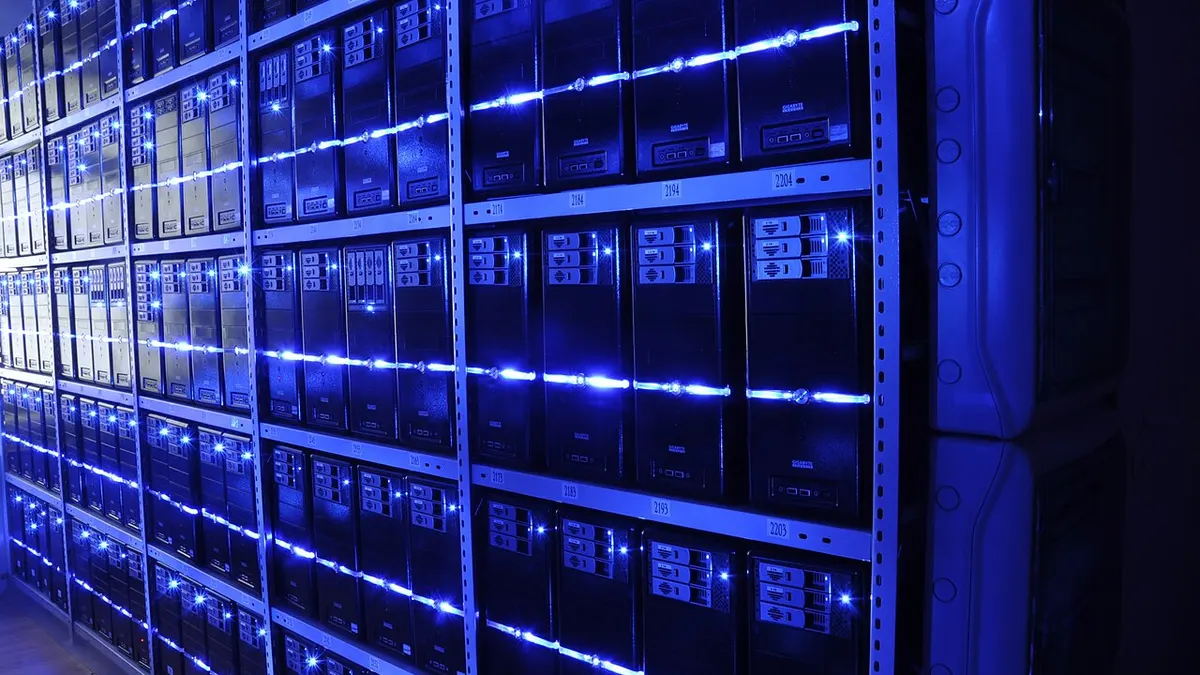 Hosting providers keep website files, mail and credentials on shared infrastructure. Photo: BalticServers.com, CC BY-SA 3.0, via Wikimedia Commons
The short answer
- What: an unauthorized third party exploited a vulnerability in third-party software behind DreamHost's File Manager at files.dreamhost.com, according to DreamHost's 29 October post.
- When: discovered on the afternoon of 23 October 2026. DreamHost treats File Manager logins from about August 2026 as potentially compromised.
- Exposed: FTP/SFTP usernames and passwords of users who logged in to the File Manager, and webmail login credentials for a limited number of users.
- Not found: DreamHost says it found no evidence of control panel logins or billing details being accessed.
- Scale: well under about 10% of email and FTP/SFTP accounts, per DreamHost. TechCrunch says DreamHost has roughly 400,000 paying customers.
- Not PHP: DreamHost says the incident was unrelated to the recent PHP vulnerabilities.
- Do: change FTP/SFTP and email passwords, review site files and mail rules, and be careful with phishing.
What was published
DreamHost's account of events is fairly detailed. It says the File Manager is a browser-based tool, built on third-party software, that customers use to work on website files. The attacker exploited a vulnerability in that software and could read the FTP/SFTP credentials of anyone who logged in before the activity was detected. The attacker also reached certain webmail systems and obtained login credentials for a limited number of webmail users. DreamHost says it reset those passwords and ended active sessions the same day. In a small number of cases it believes the attacker may have used the credentials to view mailbox contents, and it is contacting those customers one by one.
TechCrunch adds the legal and timeline angle. It reports that a breach notice filed with California's attorney general says the attack began in August and that the attacker obtained session tokens, which keep a user logged in after a password is entered. TechCrunch also reports that a DreamHost spokesperson would not say why the attack went unnoticed until October, would not name the vulnerability and would not give a more exact number of affected customers. DreamHost's own post describes stolen credentials rather than session tokens, so the details of what was taken are still being clarified.
Help Net Security's report from 27 October covers the disruption. DreamHost brought the File Manager back online, while some customers stayed locked out of email and FTP until the account owner set a new password. Some customers complained about slow and unclear messages. That is a reason to treat the situation as a live one and to read DreamHost's status page directly.
Why this matters even if you were not locked out
DreamHost says that if a previously working password still works and you did not change it yourself, its investigation indicates that password was not exposed. That is reassuring, but it also says the investigation is ongoing. And three practical risks remain whether or not you were affected:
- Reused passwords. An FTP password that matches anything else, such as your email or a CMS admin account, gives an attacker a way into other places.
- Quiet changes. Someone with FTP access can add files to a website. Someone with mailbox access can set a forwarding rule that copies your mail elsewhere and stays invisible for months.
- Phishing that follows the news. DreamHost warns that incidents like this are often followed by fake emails imitating the company.
What to do this week
- Change FTP and SFTP passwords. Treat usernames and passwords used in the File Manager between roughly August and 23 October as compromised, as DreamHost advises. Only the account holder can set new passwords from the DreamHost control panel, and a change can take up to 15 minutes to apply. Type the panel address into the browser rather than clicking email links.
- Change email passwords. Do this for every mailbox on the account, including old and rarely used ones. Use a different strong password for each.
- Change the same password everywhere else. If any FTP or email password was reused or similar to another account, change it there as well.
- Update saved clients. Email apps, FTP programs and deployment tools that store old passwords will fail or keep retrying with them.
- Check your website files. Look for new or changed files you do not recognise, especially in upload folders and your site root. If you use WordPress, compare plugin and theme folders with fresh downloads.
- Check webmail settings. Review forwarding rules, filters and connected devices on every mailbox. Remove any you did not create.
- Review your CMS logins. If an admin password for your site matches an FTP or email password, change it and turn on two-step sign-in.
- Be careful with email about the incident. DreamHost says it will never ask for your password by email and that its incident emails will never ask you to sign in through a link.
- Ask about your own obligations. If you store customer details on the site or in mailboxes, DreamHost suggests consulting your own legal advisers about any duties you may have.
- Get a second view if you are unsure. Our website development service and custom software development service can review a hosting setup, and you can talk to our team.
For context on other recent web-server news, see our posts on the WordPress upgrade-window flaw and the PHP2Shell vulnerabilities.
A decision guide
| Situation | What to do |
|---|---|
| You received a DreamHost reset email | Set new FTP/SFTP and email passwords from the control panel, update saved clients, check files and mail rules. |
| No email, and your old passwords still work | DreamHost says your passwords were likely not exposed. Change them anyway as a precaution and check for later updates. |
| You used the File Manager between August and 23 October | Treat those FTP/SFTP credentials as compromised and rotate any matching passwords. |
| You hold customer data on the site or in mailboxes | Check logs and mail contents for signs of access and talk to a legal adviser about notification duties. |
| You are not on DreamHost | Use the same steps as a drill and check your own host's status page. |
Common mistakes to avoid
- Clicking the reset link in an email. Go to the control panel by typing its address.
- Changing only the one password that was reset. Other mailboxes and users can be affected too.
- Forgetting mail forwarding. A rule you did not set is one of the clearest signs of mailbox access.
- Reusing the new password. Make each one unique, ideally in a password manager.
- Assuming PHP caused it, or ruling it out. DreamHost says it was not PHP, and we have found no independent evidence either way.
- Skipping the file check. FTP access could be used to add or edit files, so look at what changed.
Checklist for your team
- Reset every FTP/SFTP password on the hosting account.
- Reset every email password, including unused mailboxes.
- Change any other account that shares or resembles those passwords.
- Update saved passwords in email apps, FTP tools and deployment scripts.
- Review website files for new or changed files you do not recognise.
- Check webmail forwarding rules, filters and connected devices.
- Turn on two-step sign-in for the hosting control panel and CMS admin.
- Warn staff about phishing that mentions the incident.
- Note any customer-data obligations and speak to a legal adviser if needed.
- Check DreamHost's incident page and status page for updates.
Key takeaways
- DreamHost says a vulnerability in third-party File Manager software let an attacker reach FTP/SFTP credentials and some webmail logins, with discovery on 23 October 2026.
- It says well under about 10% of email and FTP/SFTP accounts were affected and that it found no evidence control panel logins or billing details were accessed.
- Reports say the attack began in August, and the exact vulnerability has not been named.
- Rotate passwords, check files and mail rules, and be careful with phishing.
- A hosting breach is a good prompt to give every account a unique password and two-step sign-in.