WordPress runs a large share of small business websites, so a core security release deserves attention the same day. On 28 October 2026 WordPress released version 7.1.4, and one of its fixes is for a weakness in the upgrade process that can lead to remote code execution. By 30 October, The Hacker News was reporting heavy attack attempts against it, citing the security company Wordfence. This guide explains what is known, what to update to and how to check your own site, using the WordPress release post and that report. We have not tested the flaw and do not describe how to attack it.
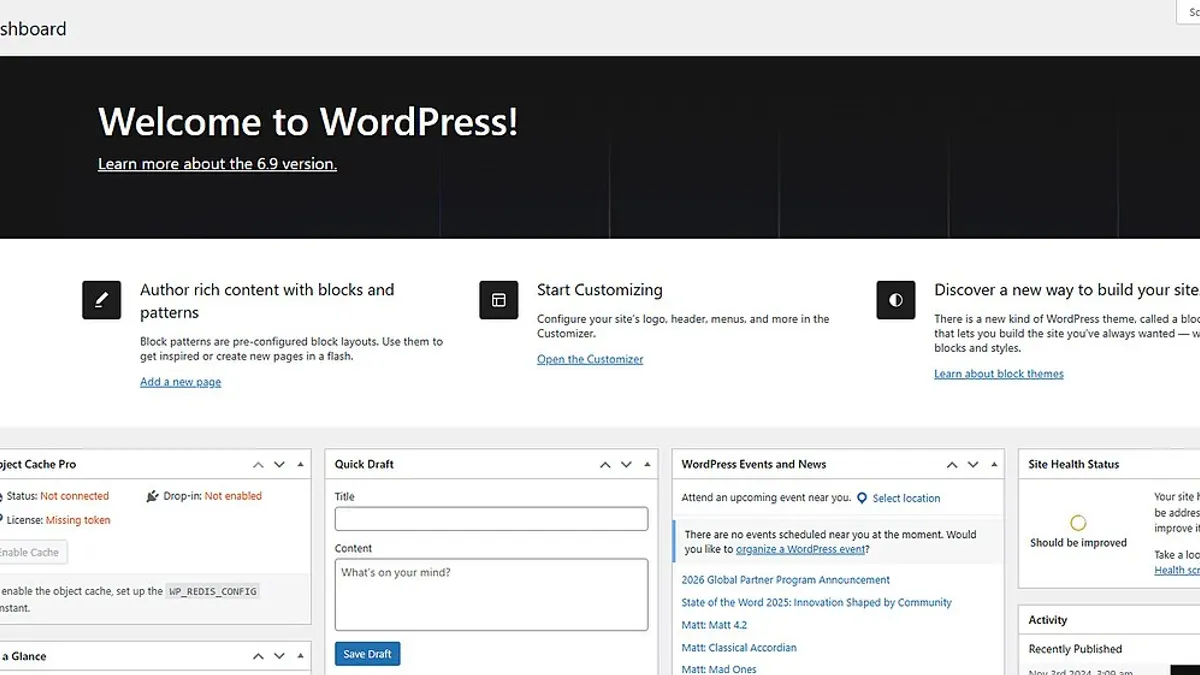 The Updates screen in your WordPress dashboard is where this release arrives. Image: wordpress, Screenshot: כתר דמלכות, CC0, via Wikimedia Commons
The short answer
- What it is: the WordPress 7.1.4 release post lists "a weakness in the WordPress upgrade process which can lead to remote code execution during the upgrade window", reported by Umut Bayram.
- Who is affected: The Hacker News reports WordPress Core 4.7 through 7.1.3, with a CVSS score of 8.1 and no CVE identifier.
- Is it exploited: The Hacker News reports exploitation attempts started shortly after the patches were released, and quotes Wordfence saying it blocked 62,969 attacks aimed at the flaw in 24 hours.
- What to do: update to WordPress 7.1.4, confirm the version, and check for unfamiliar administrator accounts, plugins or PHP files.
If your site is set to update automatically, WordPress.org says the update process will begin on its own, but verify it actually happened.
What the release says
The WordPress.org post describes 7.1.4 as a security release that "features fixes for multiple issues" and recommends updating immediately. It tells owners to download from WordPress.org or use the Dashboard, click Updates and then Update Now, and notes that sites that support automatic background updates will start the process automatically.
Besides the upgrade-process issue, the release lists a series of stored cross-site scripting fixes, including in the Interactivity API, the Customizer, and the Categories, Playlist and image blocks. It also lists a stored denial of service issue, a flaw that let unauthenticated users discover unpublished Customizer changesets, and an update to the bundled root certificates because of the eMudhra revocation. Our post on the eMudhra certificate authority compromise explains that last item.
WordPress.org adds that the fixes were backported to all branches eligible for security fixes, currently through 4.7, with backports shipping as they become ready. It also reminds readers that only the most recent version of WordPress is actively supported, which is a reason to keep the site on the latest release.
What is reported about the attacks
According to The Hacker News, the flaw concerns predictable, web-accessible staging paths used during full-package core upgrades. Wordfence is quoted as saying an unauthenticated attacker would need to hit a very narrow window while WordPress unpacks a complete core update, and that this window has been observed to last only seconds in lab conditions. Even so, Wordfence reports that attackers began polling for it quickly, with two of the largest sources repeatedly probing small groups of sites for roughly 14.5 hours.
Three points matter for a site owner:
- The risk is tied to the update moment. That does not make it safe to wait, because updates run on a schedule you may not watch.
- Probing is widespread. The 62,969 blocked attacks come from one vendor's network, so treat it as a sign of attacker interest and not a count of successful compromises.
- The details are partly reported, not confirmed by us. Wordfence's own write-up was not retrievable when we checked, so the technical specifics here come from The Hacker News's account.
We deliberately leave out technical detail beyond what is needed for defence.
What to do today
- Check your version. In the dashboard, open Updates, or look at the version shown in the admin footer.
- Back up first, then update to 7.1.4. If you use a managed host, ask whether it has applied the update or added protective rules.
- Confirm the update completed. A failed or interrupted update can leave a site half-updated, so check that the dashboard now shows 7.1.4 and that the site loads normally.
- Look for signs of trouble. The Hacker News reports advice to look for suspicious requests to PHP files under wp-content/upgrade, and for unfamiliar administrator accounts, plugins or PHP files. Check your user list, your plugin list and recent file changes.
- Review logs with your host. Ask your host or developer to search access logs for repeated requests to that area in recent days.
- If you find something odd, do not delete evidence. Change administrator and hosting passwords from a clean device, tell your host and get a developer to investigate.
For wider context on PHP-level risks this month, see our post on the PHP2Shell vulnerabilities, and our website maintenance guide for making updates routine. If you would rather not manage this yourself, see our website development and maintenance service.
Checklist for this week
- Take a full backup of your WordPress files and database.
- Update WordPress to 7.1.4 from the Dashboard Updates screen.
- Confirm the dashboard shows 7.1.4 and the site loads, including forms and checkout.
- Review the administrator and editor user list for accounts you do not recognise.
- Review installed plugins and themes for anything unfamiliar.
- Ask your host whether it has seen suspicious requests to the upgrade directory.
- Update plugins and themes that have pending updates, after testing.
- Remove plugins and themes you no longer use.
- Check that automatic background updates are enabled where appropriate, and that someone is watching the results.
- Schedule a monthly review of WordPress, plugin and PHP versions.
Common mistakes to avoid
Assuming a narrow window means low risk. Attackers can poll repeatedly, and you may not know when your update runs.
Trusting auto-updates without checking. Verify the version after the update window.
Updating without a backup. An interrupted update can leave a site in a broken state.
Ignoring plugins. Core is one layer. Unmaintained plugins are a common way in.
Staying on an old branch. WordPress.org says only the latest version is actively supported, and backports for older branches arrive as they are ready.
Key takeaways
- WordPress 7.1.4 fixes a weakness in the upgrade process that can lead to remote code execution, plus several other security issues.
- The Hacker News reports affected versions as 4.7 through 7.1.3, CVSS 8.1, no CVE identifier, and heavy attack probing.
- Update to 7.1.4 and confirm the version afterwards.
- Check for unfamiliar administrators, plugins and PHP files, and review logs with your host.
- Treat updates as a routine, not an emergency.
Want a second pair of eyes on your WordPress site? See our website development service or talk to our team.
Sources
- WordPress.org: WordPress 7.1.4
- The Hacker News: WordPress RCE Flaw Draws Nearly 63,000 Attack Attempts in Just 24 Hours
Last reviewed 30 October 2026. This article is general information, not a guarantee of protection. Details are reported by third parties and may change, so confirm them in the official WordPress release notes.