
A network storage box in the corner of the office is easy to forget. It holds the shared drive, the accounting folder and often the only backups. A warning from Synology shows why that matters: attackers are going after NAS devices that never installed a fix released almost two years ago. This guide explains what Synology and The Hacker News reported, which versions are safe, and how a small business should protect storage and backups. It does not describe how the flaw is exploited, and we have not tested it.
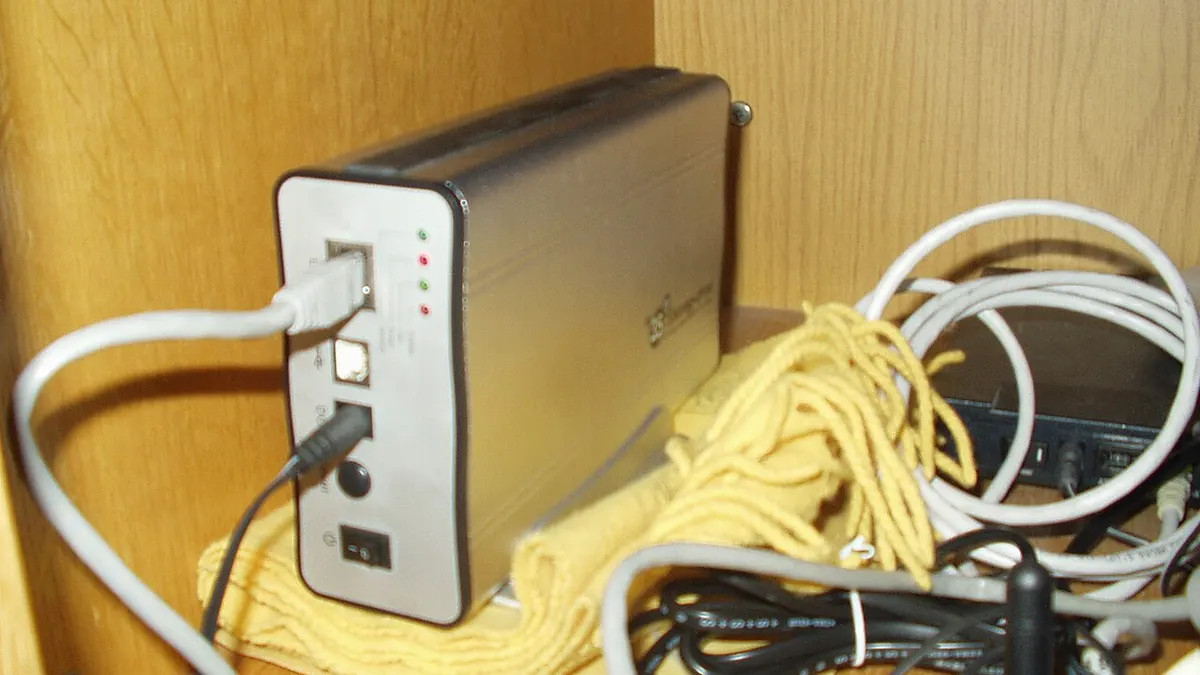 Office storage devices hold shared files and backups, and need updates like any server. Photo: Hämmerle S, CC BY-SA 2.5, via Wikimedia Commons
The short answer
- What happened: Synology said it observed attackers exploiting a flaw patched in late 2024 to target devices running outdated DSM and demand ransom, according to The Hacker News (3 November 2026).
- Which flaw: Synology did not name it in the statement, but linked advisory Synology-SA-24:20. Its critical issue is CVE-2024-10441, rated CVSS 9.8.
- Fix: update DSM to a fixed build (listed below). The advisory lists no mitigation.
- Reported impact: customers say devices were locked by C3RB3R ransomware, with files renamed to end in .L0CK3D.
- What to do: update, enable automatic updates, remove internet exposure, and keep a backup the NAS cannot reach.
What was reported
According to The Hacker News, Synology urged customers to update DSM following ransomware attacks, saying attackers are exploiting a vulnerability patched in December 2024 on devices running outdated versions. In Synology's words, as quoted there, the attacks aim to encrypt data and extort ransom. The company recommends updating immediately and enabling automatic updates.
The advisory behind the warning is Synology-SA-24:20, titled DSM (PWN2OWN 2024), rated Critical. It lists three flaws:
| CVE | Severity (CVSS) | What the advisory says |
|---|---|---|
| CVE-2024-10441 | Critical (9.8) | Remote attackers could execute arbitrary code via unspecified vectors, in the system plugin daemon |
| CVE-2024-50629 | Moderate (5.3) | Remote attackers could read limited files |
| CVE-2024-10445 | Moderate (4.3) | In the update functionality, attackers could write limited files |
The advisory states there is no mitigation. The fixed releases it lists are:
- DSM 7.2.2: 7.2.2-72806-1 or above
- DSM 7.2.1: 7.2.1-69057-6 or above
- DSM 7.2: 7.2-64570-4 or above
- DSM 7.1: 7.1.1-42962-7 or above
- DSM 6.2: 6.2.4-25556-8 or above
BeeStation OS (BSM) versions before 1.1-65374 are also listed as affected. A note on wording: Synology did not publicly say which of the three flaws attackers are using, so this post links to the advisory as a whole instead of claiming a specific one. The C3RB3R ransomware name and the .L0CK3D extension come from customer reports relayed by The Hacker News, not from the advisory.
Why a NAS is a ransomware favorite
A NAS is a computer holding many files, usually left running for years with little attention. It is also often the place where backups from laptops and servers land. That makes it a good target: encrypting it hits shared files and the safety net at the same time. The Hacker News notes this is not the first time. Earlier waves hit QNAP devices in 2019 and Synology devices in 2021, including by guessing common administrator passwords.
For a small business, the risk is rarely sophisticated. It is a device nobody updates, with remote access switched on so staff can reach files from home.
What to do this week
- Find every storage device. Check offices, home offices and any device a former IT provider set up. Note the model and DSM version.
- Update DSM now. In the DSM control panel, run the update and move to at least the fixed build for your version line. If your model no longer receives updates, plan a replacement and keep it off the internet in the meantime.
- Turn on automatic updates. Synology recommends it. Choose a quiet hour and make sure someone watches for failures.
- Remove direct internet exposure. Do not forward ports from the router to the NAS. Use a VPN or a vendor relay with strong sign-in instead, and ask your IT provider if you are unsure what is exposed.
- Review accounts. Remove unused users, change the default administrator setup, use long unique passwords and turn on two-step sign-in for admin accounts. Our guide to rotating secrets after a breach shows a sensible order if anything may be exposed.
- Separate the backups. Keep a copy the NAS cannot overwrite: offline, immutable or in a separate cloud account with its own sign-in. Our post on checking Microsoft 365 backups covers testing restores.
- Test a restore. Pick a folder, restore it to another machine and time how long it takes.
- Check for signs of trouble. Look for renamed files, a ransom note, unknown admin accounts or unexpected sign-ins in the DSM logs.
If you want help with the storage, backup and access side of your setup, our custom software development service and website development service can fit it into a wider security review.
If you think the NAS was hit
- Disconnect it from the network, but leave it powered and untouched where possible so evidence is preserved.
- Do not pay or negotiate in a hurry. Call an incident-response professional.
- Reset passwords and sessions for accounts used on the NAS and on machines that connected to it.
- Restore from a clean backup onto a freshly updated device, not onto the old one.
- Tell anyone whose data may be affected, as your legal and contract duties require.
Common mistakes to avoid
Assuming old advisories are over. The fix is almost two years old, and attackers are still using it against unpatched devices.
Treating the NAS as the backup. If it is the only copy, one infection removes everything.
Leaving remote access on for convenience. Open ports are the easiest way in.
Updating only some devices. Spare units in a cupboard still count.
Skipping restore tests. A backup you have never restored is a hope, not a plan.
Checklist for your team
- List every NAS and storage device, with model and DSM version.
- Update DSM to at least the fixed build for your version line.
- Enable automatic updates on each device.
- Remove port forwarding and direct internet access to the NAS.
- Set up VPN or relay access with strong sign-in for remote staff.
- Remove unused accounts and turn on two-step sign-in for admins.
- Keep one backup that the NAS cannot overwrite or delete.
- Restore a sample folder from backup and time it.
- Check DSM logs for unknown sign-ins or admin accounts.
- Replace devices that no longer receive updates.
Key takeaways
- Synology says attackers are exploiting a flaw patched in late 2024 against NAS devices on outdated DSM, and linked its warning to advisory Synology-SA-24:20.
- The advisory's critical flaw is CVE-2024-10441 (CVSS 9.8), with no mitigation other than updating to the fixed builds.
- Customer reports of C3RB3R ransomware and a .L0CK3D extension are reported by The Hacker News and not confirmed in the advisory.
- Automatic updates, no direct internet exposure and a separate backup are the three habits that matter most.
- A restore test is the only proof that your backup works.
Need help securing office storage, backups and remote access? Look at our custom software development service or talk to our team.
Sources
- Synology: Synology-SA-24:20 DSM (PWN2OWN 2024) security advisory
- The Hacker News: Synology NAS Devices Targeted in Ransomware Attacks Exploiting Patched DSM Flaw (3 November 2026)
- ITdaily: Synology warns of ransomware on NAS devices with outdated DSM (2 November 2026)
Last reviewed 3 November 2026. This article is general information, not a guarantee of protection. Details come from the vendor advisory and news reports and may change.