If your online store relies on third-party Shopify apps, or if you build apps for merchants, a short notice in Shopify's developer changelog matters this month. On 5 November 2026 Shopify said every public app must set up an IP allowlist for its Admin API access, with deadlines of 12 and 20 November. We have not tested the Dev Dashboard setup ourselves, so this article relies on Shopify's own documentation and one news report, and flags where they differ.
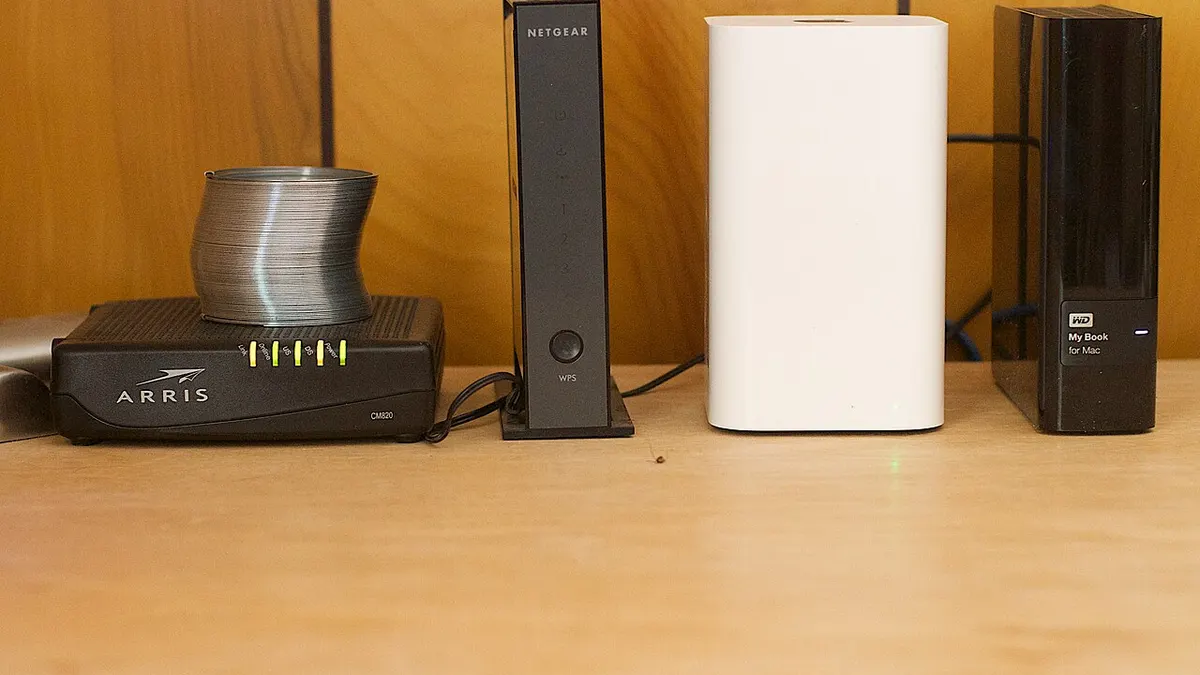 An allowlist ties an app's API calls to the servers you actually run. Photo: Alan Levine, CC BY 2.0, via Wikimedia Commons
The short answer
- What changed: public apps must configure an IP allowlist for Admin API access, per Shopify's developer changelog of 5 November 2026.
- Deadlines: 12 November 2026 for apps that use bulk operations, 20 November 2026 for all other public apps, both at 11:59 PM ET.
- Consequence: bulk operations fail after the first date, and apps without an allowlist are delisted and blocked from new installs after the second.
- Not affected: custom apps, and apps merchants create in the Dev Dashboard or the admin.
- Store owners: nothing to switch on, but ask key app vendors if they are ready.
- App builders: use a dedicated static egress address, test against recent traffic, then turn enforcement on.
What the sources say
Shopify's changelog states the goal plainly: leaked tokens can be used from any network location, and an allowlist reduces the impact of a credential leak by limiting the networks from which an app can invoke the Admin API. It lists the dates above and says apps that are not migrated face failed bulk operations on 12 November and delisting plus blocked new installs on 20 November.
Shopify's developer documentation explains how it works. When enforcement is on, Shopify checks the source IP address of every GraphQL Admin API and REST Admin API request made with the app's tokens. Requests from outside the allowed ranges fail with a 403 status, and so do requests whose source address Shopify cannot confirm. You can list up to 100 addresses or ranges, as CIDR notation, with public addresses only. Shopify says it does not read ranges from a URL such as a hosting provider's published list, because those lists are shared with other customers and a stolen token could then be used from any of those addresses. Its advice is to send app requests through a dedicated static address, such as your own NAT gateway or your host's dedicated egress option.
The documentation also lists what does not work. Platforms that assign dynamic IP addresses, such as most serverless platforms, are not compatible yet, though Shopify says support is coming soon. Tokens used by the Shopify Flow "Send HTTP request" action are rejected, as are tokens used for Admin API requests from a storefront hosted on Oxygen. Dev preview requests on dev stores and direct API access from an app's embedded pages are never rejected.
Cyber Security News, in a report dated 6 November, adds details that we could not find on the two Shopify pages we read, so treat them as reported. It says existing installs can keep running until 1 April 2027, when Admin API requests will fail, that merchants will see admin warnings from 15 January, that developers can list up to 10 ASNs and 10 countries for dynamic hosting, and that public apps must move to expiring offline tokens by 1 January 2027. It also notes a mismatch inside Shopify's own materials on the bulk-operation date, with 11 November in a summary and 12 November in the detailed instructions. We use 12 November, as the changelog does.
There is also a difference in how the dynamic-address case is described. The changelog says apps with dynamic egress addresses can allow their host's ASNs and list countries, while the documentation page says apps on dynamic-IP platforms are not yet supported. Check what your Dev Dashboard actually offers before planning around either.
What it means for store owners
You do not configure this yourself, and a store that uses only Shopify's built-in features sees no change. The exposure is in your apps. If a vendor does not meet the deadlines, bulk jobs such as large product, order or inventory syncs could stop on 12 November, and the vendor could be delisted after 20 November. Existing installs are reported to keep working for longer, but that is not something to bet your store on. The sensible response is a short check, not alarm:
- List the apps your store depends on, starting with inventory, shipping, accounting and marketing sync.
- Ask each vendor if they have configured the allowlist, and when.
- Keep a manual fallback for critical jobs for the next two weeks.
- Note any custom app you pay for. Custom apps are unaffected, but the same hygiene applies to their tokens.
If you have an app built for you and you are unsure whether it counts as custom or public, ask your developer, because the rules differ. Our guide to Shopify versus a custom ecommerce build covers how that choice shapes who owns the integrations, and the earlier Shopify script tags notice shows another case where an app check was worth doing.
What it means for app builders
The work is not large, but order matters. Based on Shopify's documentation:
- Find your egress address. If your app runs behind a NAT gateway, that gateway's address is the one to list. If it runs on shared infrastructure, arrange a dedicated static address first.
- Write the list as CIDR ranges. Use public addresses only, start ranges at their network address, and include IPv6 addresses if your servers reach Shopify that way.
- Test before enforcing. In the Dev Dashboard, open Settings, use the allowlist section and run the test against recent traffic. It shows whether any of your own addresses from the last 30 days would be blocked.
- Turn on enforcement. Then make a request from outside the allowed ranges and confirm it fails with a 403.
- Check the exceptions. Look for Flow HTTP actions, Oxygen storefronts and serverless components that use your tokens.
- Add ongoing review. Shopify suggests reviewing API logs on a schedule and pairing the allowlist with expiring offline access tokens.
If you run a SaaS or integration product, this is also a moment to look at how tokens are stored and rotated. Our SaaS development team builds this kind of integration plumbing, and you can talk to us if you want a second pair of eyes on the setup.
Common mistakes to avoid
- Listing a hosting provider's whole IP range. Shopify says shared ranges let other customers' traffic count as yours and its rules limit range size.
- Skipping the test. Turning on enforcement without the recent-traffic test can block your own jobs.
- Forgetting background workers. Bulk jobs and queue workers may leave from different addresses than your web servers.
- Assuming an allowlist replaces secret hygiene. An attacker inside an approved network could still use a token, as Cyber Security News notes.
- Planning around reported dates only. The April and January dates come from one news report, so confirm them with Shopify.
Checklist
- List every public Shopify app your store depends on and who supports it.
- Ask each vendor whether their allowlist is configured and when.
- Keep a manual fallback for bulk syncs until 20 November has passed.
- Builders: set up a dedicated static egress address and list it as CIDR ranges.
- Builders: run the recent-traffic test before enabling enforcement.
- Builders: confirm an outside request fails with a 403 after enforcement.
- Check Flow HTTP actions, Oxygen storefronts and serverless parts that use your tokens.
- Review API logs on a schedule and plan the move to expiring tokens.
- Confirm the later dates with Shopify before relying on them.
Key takeaways
- Shopify requires an IP allowlist for all public apps, with 12 November (bulk operations) and 20 November (all others) as the dates in its changelog.
- Missing the second date means delisting and blocked new installs, per Shopify.
- Custom and merchant-created apps are not affected, and store owners have no setting to change.
- Use a dedicated static egress address, test against recent traffic, then enforce.
- An allowlist limits where a stolen token works. It does not replace good secret handling.
- Ask your key app vendors now, and keep a manual fallback for the next two weeks.