Searches for React Native usually come from a founder who has been told "we can build both apps at once" and wants to know what that really means. This guide explains how it works, what it changes for your budget and team, and what to ask before you sign anything. It is written for owners and managers, not for developers.
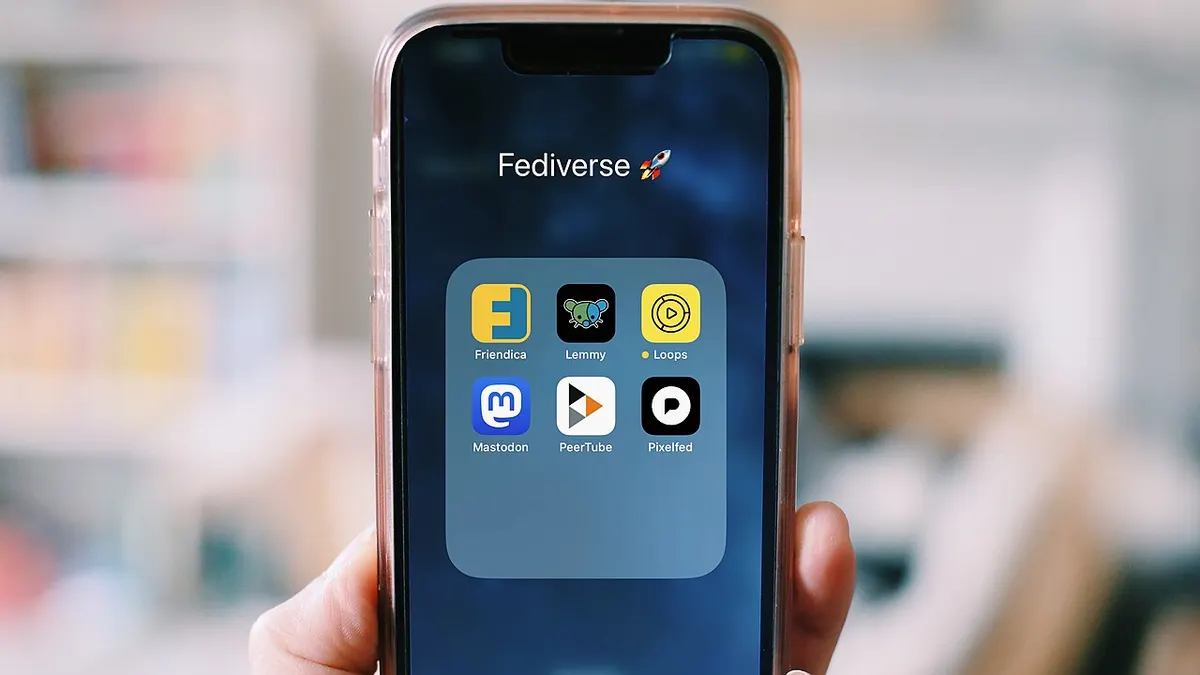 Users judge an app by how it feels on their own phone, not by the tools used to build it. Photo: Elexfedi, CC BY-SA 4.0, via Wikimedia Commons
The short answer
React Native is a way to build mobile apps for iPhone and Android from largely one codebase. The project describes it as "written in JavaScript, rendered with native code": your developers write in JavaScript and React, and the app draws real native interface components rather than a web page inside a frame.
For a business owner that gives you three practical effects. You pay to build most screens and logic once instead of twice. You can hire from the large pool of developers who already know JavaScript or React. And you get an app that sits in the App Store and Google Play like any other. The trade-off is that the odd device-specific feature may still need native work, and you depend on a set of open-source libraries that need regular updates.
How React Native works, without the jargon
Think of the app as two layers. The top layer is your product: screens, buttons, forms and business rules, written in JavaScript. The bottom layer is the phone's own system for drawing things and using the camera, location and notifications. React Native connects the two.
The project says its core components, such as View, Text and Image, map directly to the platform's native interface building blocks. That is why a React Native app can look and behave like a normal iPhone or Android app instead of a website in disguise.
Meta released React Native in 2015 and, according to the project, continues to maintain it with contributions from people and companies around the world. That history matters for one reason: it is a mature, widely used option, not an experiment.
Where Expo fits
React Native on its own does not decide how screens link together or how your app reaches each phone feature. The project's own advice is to start a new app with a framework, and it recommends Expo. The documentation says Expo provides things like file-based routing, a standard library of native modules and plugins that change native code without hand-editing native files.
Expo's framework is free and open source. The Expo team also provides an optional set of cloud services, called Expo Application Services, for the build and release steps. Your developer can use them or not, but ask which services the project depends on so you are not surprised by a monthly bill later.
If a developer proposes React Native without any framework, that can be reasonable for an unusual app, but ask why. The React Native documentation warns that without one you must write your own solutions for core features, which takes work to start and to maintain.
What the "New Architecture" means for you
You will hear this phrase in technical conversations. It is the rebuilt core of React Native. The project says that since version 0.76 it is turned on by default in all React Native projects, and that it replaces the old asynchronous bridge with a direct interface between JavaScript and native code.
The same page is careful about expectations: enabling it may not immediately improve performance, because your code may need changes to use the new capabilities, and the old bridge may not have been your bottleneck. As a buyer, the takeaway is simple. A new project should start on the current setup, and a promise that it will make everything fast is a sales line, not a fact.
When React Native is a good fit
React Native tends to work well when:
- The app is mostly forms, lists, dashboards, orders, bookings, chat or content.
- You need iPhone and Android at the same time and want one team to own both.
- Your company already has JavaScript or React developers.
- You want to move quickly and change features often after launch.
- Your web product already uses React, so the team can share ideas and some code.
Common examples are customer portals, appointment and booking apps, delivery and order tracking, internal staff tools and simple marketplaces.
When to be more careful
Take extra care, or consider fully native development, when:
- The app depends on heavy real-time camera, audio or sensor work.
- You need a feature that Apple or Google released very recently and no library supports it yet.
- The product is a graphics-intensive game.
- You need the tightest possible integration with one platform, such as a deep watch or widget feature.
Even then, the React Native project says you can write your own native code and use libraries, so it is not an either-or choice. It does mean that the hardest feature should be tested early. Our native vs cross-platform comparison walks through that decision, and our Flutter vs React Native guide helps if you are choosing between the two main cross-platform options.
What it does to cost and timeline
We are not going to quote a price here, because costs depend on features, design, integrations and the team. What we can say is where the saving comes from and where it does not:
- Saved: building the same screens and logic twice, and coordinating two separate teams.
- Not saved: design, back-end work, testing on real devices, app store setup and ongoing updates. These apply however the app is built.
- Added: keeping libraries and the React Native version up to date. Plan for that every few months.
Ask each vendor to separate the one-time build from the monthly cost of maintenance, hosting and any paid cloud services. Our mobile app development tools guide lists the other costs that surprise first-time buyers.
Questions to put to your developer
- Are we using Expo or another framework, and why?
- Which React Native version will we start on, and who upgrades it later?
- Which features need native code, and have you built them before?
- Can you show a working prototype of the hardest screen before the full build?
- Who owns the source code, the app store accounts and the Expo account? Put this in writing; our note on who owns the code in an app agreement explains how.
- What does a typical update to a new iPhone or Android release involve?
Checklist before you commit
- Write down your three most important features and mark any that use the camera, Bluetooth, background tasks or payments.
- Ask for a prototype of the hardest feature on a real iPhone and a real Android phone.
- Confirm the framework (Expo or another) and the React Native version in writing.
- Ask for the monthly cost of hosting, paid cloud services and maintenance separately from the build price.
- Make sure you will own the code repository, the Apple and Google developer accounts and the Expo account.
- Agree who handles updates when Apple or Google release a new operating system version.
- Plan for testing on several devices, not only the developer's own phone.
Common mistakes to avoid
Treating "one codebase" as "half the work". Design, testing, store approval and maintenance still apply to both platforms.
Skipping the hard-feature test. Every project has one feature that decides whether the approach works. Find it in week one.
Letting the vendor own the accounts. If the developer registers the app stores in their name, you can lose control of your own app.
Ignoring upgrades. An app that is never updated gradually breaks as phones and libraries move on.
Choosing the tool before the product. Decide what the app must do for customers first, then choose the technology that serves it.
Key takeaways
- React Native builds iPhone and Android apps from mostly one JavaScript codebase and renders native interface components.
- The project recommends starting new apps with a framework, and names Expo as that framework.
- The New Architecture has been the default since React Native 0.76, but it does not guarantee a faster app by itself.
- It fits typical business apps well; test unusual device features early.
- Savings come from building screens once, not from skipping design, testing or maintenance.
- Own your code, your store accounts and your Expo account from day one.
Need an app built, or a second opinion on a quote? See our mobile app development service or talk to our team.
Sources
- React Native: official site
- React Native: About the New Architecture
- React Native: Get Started
- Expo documentation
Last reviewed 29 October 2026. This article is general information, not a guarantee of results. Tools and versions change, so confirm details with the current documentation.