
Most website owners never think about the update system of a security tool, and that is the reason this incident is worth a few minutes of your attention. On 2 November 2026, according to the vendor, someone broke into the systems that deliver updates for cPGuard, a security product installed on Linux web servers, and used them to send a malicious script to customers' servers. The script ran with root rights, which means full control of the machine. If your website runs on a VPS, a dedicated server or a host that uses cPGuard, the question is not only whether the tool is patched. It is whether the secrets on the server are still secret. We have not tested anything here and this article deliberately leaves out how the malicious script worked beyond what the vendor published.
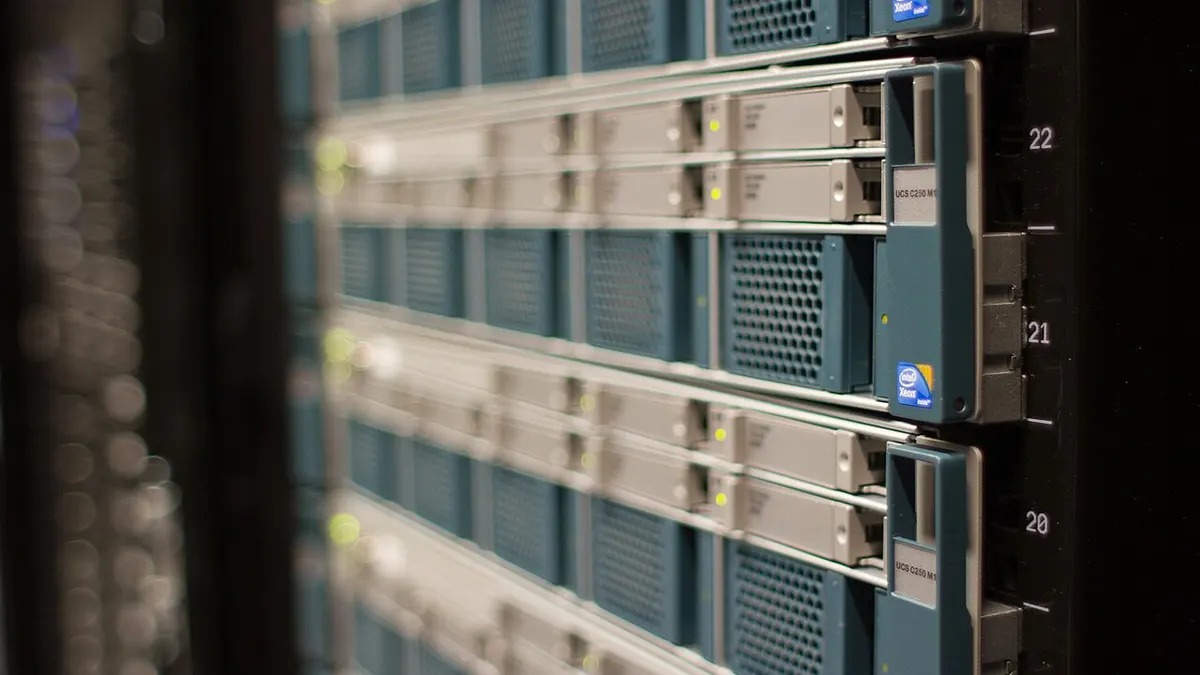 A web server is a shared machine whose root keys and passwords unlock everything on it. Photo: Victorgrigas, CC BY-SA 3.0, via Wikimedia Commons
The short answer
- What happened: an attacker used compromised access to OPSSHIELD's update infrastructure and pushed a malicious script through the cPGuard update channel.
- Affected versions: cPGuard 5.88.12 through 5.88.19. OPSSHIELD says it detected the attack within 12 hours of those updates launching.
- Who ran it: OPSSHIELD says about 2,950 customer servers installed the fake update between 02:08 and 03:20 UTC on 2 November 2026.
- What was read: local password hashes (
/etc/shadowand/etc/passwd), root's SSH keys, the MySQL root password where present, root shell history and, on a small number of servers, cloud storage keys. - What to do: update cPGuard, confirm the leftover files are gone, then rotate every credential the script could have read. Updating alone is not enough.
What the vendor says happened
OPSSHIELD published a security advisory and a longer incident disclosure on 3 November 2026. Reading both together gives a clear sequence, with all times in UTC.
The attacker registered a customer account on its billing portal on 1 November under a false identity and ordered a free trial. Later that evening, according to the disclosure, they sent crafted requests to callback pages on the portal and gained the ability to run commands on the billing and licensing server. OPSSHIELD's logs do not record the exact request that opened the door, so the company patched two possible entry points and is reviewing the related components. From there the attacker took the key used to publish updates and, between 02:04 and 02:09 UTC on 2 November, uploaded a fake cPGuard update. Servers installed it between 02:08 and 03:20, and it ran as root.
The script collected sensitive files and sent them out. OPSSHIELD's advisory first said the files went to its own licensing server under a compromised account, and that it had confirmed the attacker retrieved some of that data, with a preliminary count of 32 files tied to individual servers. The later disclosure says the files were sent to a server the attacker controlled, so treat the 32 figure as an early estimate, not a ceiling. The script also left a hidden root shell and a scheduled task behind. Separately, the attacker took a copy of customer billing records, which OPSSHIELD puts at about 7,900 portal accounts, with names, company names, postal addresses, email addresses and bcrypt-hashed passwords.
OPSSHIELD describes the attack as fast, roughly ten hours from first probe to fake update, and says attackers increasingly use AI tools to speed this kind of work up. That is the vendor's own view of its attacker, not something we could verify.
Why "just update" is the wrong takeaway
Many incident notices end with a patch and a version number. This one ends with homework, and the reason is simple. A patch removes what the script left on disk. It cannot recall passwords and keys that have already been copied. The vendor's advisory says so plainly: a successful update removes the known files, but credentials copied before cleanup may still be usable.
Think about what each stolen item allows:
- Password hashes. These are one-way hashes, not plain text, and they cannot normally be typed in as passwords. But simple, common or previously exposed passwords can be recovered by testing guesses offline, so a weak root or user password should be considered known. Long, random, unique passwords are far harder to crack, and still need resetting.
- Root SSH keys. A private key under
/root/.sshcan let someone log in to every machine that trusts it. That is why OPSSHIELD tells admins to treat other servers they reach from this one as exposed until those keys are replaced. - The MySQL root password and shell history. Shell history often contains typed passwords and tokens. These secrets have no hashing protecting them at all.
- Cloud storage keys. On a small number of servers the script read
/root/.s3cfg, which holds object-storage access keys.
If you run one server for one company website, that list may look abstract. Put it in business terms: whoever holds these can read your customer data, your database and your backups, and can quietly come back later.
How to check whether your server was affected
OPSSHIELD's advisory gives a one-line check of the update history. Run it on each server that has cPGuard installed:
grep 'Successfully updated' /opt/cpguard/logs/install_log
An entry for any version from 5.88.12 through 5.88.19 means the server installed an affected update. Two cautions from the vendor matter here. An entry confirms installation, not that the script ran or that data left the server. And no matching entries, or a missing or incomplete log, do not prove the server was untouched. If you are unsure, contact OPSSHIELD Support, which also offers an incident lookup.
If cPGuard was not online between 02:08 and 03:20 UTC on 2 November, OPSSHIELD says your server did not receive the fake update. It still advises resetting your billing portal password and turning on two-factor login.
What to do, in order
- Update cPGuard on every server. OPSSHIELD's instructions are to run
cpgcli update --start, thencpgcli --versionto confirm the version. The advisory says 5.88.25 or later, and the disclosure names 5.88.26 as the release that removes the hidden root shell, with a follow-up update removing the scheduled task. The simple rule is to install the latest version. - Check that the leftovers are gone. Confirm
/etc/cron.d/i93677,/var/tmp/.i93677/and/var/tmp/.cpg91511_shno longer exist, and delete them if they do. Their absence after updating proves nothing about whether the script ran earlier. - Reset passwords from a trusted place. Do this for root and every password-enabled local account, from a trusted recovery environment, and change any reused passwords from a trusted device.
- Replace SSH keys. Generate new root keys, remove the old public keys from every system that trusted them, and review
authorized_keysfor entries you do not recognise. - Rotate application secrets. Change the MySQL root password and any database passwords stored in
/root/.my.cnf, rotate S3 keys and cloud tokens, and replace anything that appears in root's shell history. - Treat connected servers as exposed. Any machine you reach from this one with SSH keys should be treated as exposed until its keys are replaced.
- Secure the vendor account too. Reset your OPSSHIELD billing portal password and turn on two-factor login.
- Ask for help early. If you find other signs of compromise, cannot confirm the server is clean, or OPSSHIELD says the attacker logged in by hand, request an individual assessment. In that last case the disclosure says to rebuild from a clean backup taken before 1 November.
If you are a website owner and not a server admin, your job is shorter. Ask your hosting provider or developer in writing whether any server holding your site uses cPGuard, which versions it installed on 2 November, and what they rotated. Then change your own hosting, database and admin passwords, because those may live on the same machine. Our posts on third-party scripts in the website supply chain and on patching a Linux server after a kernel flaw cover related habits.
Common mistakes to avoid
- Stopping after the update. The fix removes files, not stolen secrets.
- Trusting a clean-looking server. The vendor says the absence of its indicator files after cleanup does not show whether the script ran.
- Resetting only the root password. The script targeted every password-enabled local account, the database and the SSH keys.
- Forgetting where the keys lead. A stolen root key opens every server that trusts it, including backups and staging machines.
- Rotating from the same server. Do resets from a trusted recovery environment or trusted device, as the vendor advises, rather than from the affected server itself.
- Assuming a security tool cannot be the attack path. Anything that updates itself as root is a supply chain link worth tracking.
Lessons for your own setup
Whatever you run, this incident shows a few durable habits. Keep an inventory of every agent and tool that updates itself with administrator rights, and know who publishes those updates. Do not leave long-lived root keys and database passwords in shell history or home-directory files. Use separate keys per server so one theft does not unlock all of them. Enable two-factor login on every vendor portal, including billing and licensing portals, which this attacker used as the way in. And keep a short written incident checklist so a notice like this takes an hour, not a week. If you want an outside review of how your site and servers are set up, our website development team can help, or you can talk to us.
Checklist
- List every server that has cPGuard installed and who administers it.
- Run the update-history check and record any 5.88.12 to 5.88.19 entries.
- Run
cpgcli update --startand confirm the latest version withcpgcli --version. - Confirm the cron file, the hidden shell and the staging directory are gone.
- Reset root and all local account passwords from a trusted environment.
- Replace root SSH keys and clean up
authorized_keyson every trusting system. - Rotate the MySQL root password, database passwords, S3 keys and any tokens in shell history.
- Treat servers reachable by the old keys as exposed until their keys are changed.
- Reset the OPSSHIELD billing portal password and enable two-factor login.
- Contact OPSSHIELD Support for any server you cannot confirm is clean.
Key takeaways
- A malicious script went out through the legitimate cPGuard update channel in versions 5.88.12 to 5.88.19 on 2 November 2026 and ran as root.
- OPSSHIELD says about 2,950 customer servers ran it, and about 7,900 billing portal accounts were also exposed.
- Updating removes the backdoor but not the theft, so credentials and keys need rotating on any server that ran or may have run the script.
- The update-history check shows installation only. It cannot prove a server was safe or compromised.
- OPSSHIELD's guidance is provisional, so recheck its notices if you find anything unusual.