A work phone usually holds email, banking apps, authenticator codes and customer chats. When Google fixes a serious flaw in the Android core, that matters even for a small team where nobody has an IT department. This guide explains what the November 2026 bulletin says, what the two patch levels mean, and a simple routine for checking and updating the phones your business depends on. It does not describe how to exploit anything, and we have not tested the fixes.
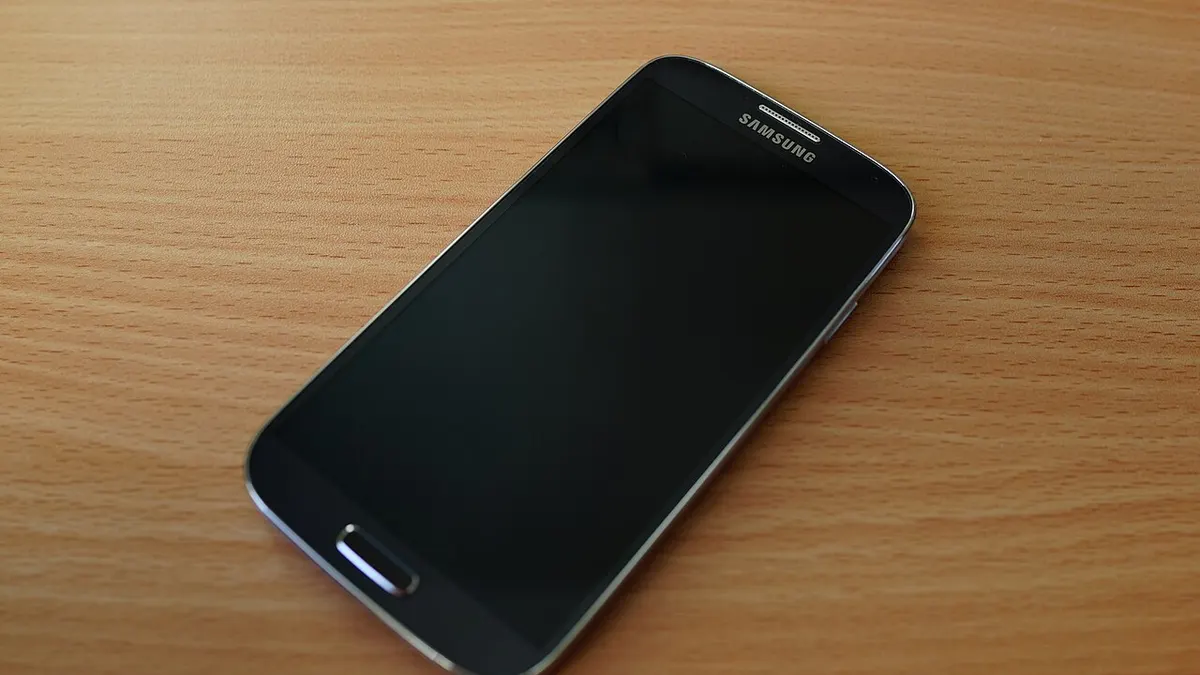 Your team's phones need security updates just like laptops do. Photo: Kārlis Dambrāns, CC BY 2.0, via Wikimedia Commons
The short answer
- What it is: Google's Android Security Bulletin for November 2026, published on 2 November 2026.
- Scale: more than 200 vulnerabilities, according to SecurityWeek, split between 119 fixed at patch level 2026-11-01 and 97 at patch level 2026-11-05.
- Most severe: a critical Framework issue (CVE-2026-58868 per SecurityWeek) that could lead to remote code execution, with no extra privileges and no user interaction needed.
- Other critical items: the System component lists critical remote code execution, privilege escalation and denial-of-service issues, and the second part lists critical issues in kernel, MediaTek modem and Qualcomm closed-source components.
- What to do: get every work phone to patch level 2026-11-05 or later, and replace any phone that no longer receives updates.
What the bulletin says
Google's bulletin explains that it has two patch levels so partners can ship a subset of fixes sooner. Devices on 2026-11-01 must include everything in the first group plus previous bulletins. Devices on 2026-11-05 or later must include all the fixes in this bulletin and earlier ones. A phone is only fully covered once it reports 2026-11-05 or newer.
The first group covers the Android runtime, Framework and System. The Framework section alone lists a critical remote code execution issue, CVE-2026-58868, plus a long list of high-severity privilege escalation, information disclosure and denial-of-service issues. The System section lists two critical remote code execution issues (CVE-2026-58876 and CVE-2026-58936), critical privilege escalation issues and two critical denial-of-service issues. Some of these fixes are delivered through Google Play system updates, which can arrive before a full phone update.
The second group covers the kernel and components from Arm, Imagination Technologies, MediaTek, Unisoc and Qualcomm. SecurityWeek notes that most are high severity but more than a dozen are critical, in areas such as Bluetooth, pKVM, HID and the MediaTek modem, as well as one Qualcomm closed-source component. Google also published separate notes for Android XR and Wear OS.
Google stresses that its severity ratings assume platform and service mitigations are switched off or bypassed. It also points to Google Play Protect, which is on by default on phones with Google Mobile Services, as an extra layer. Neither the bulletin nor the SecurityWeek article we read says these flaws are being exploited. Treat the rating as a reason to update promptly.
Why this matters to a small business
- Phones are production devices. Banking approvals, two-step codes and customer messages often live on one handset.
- Updates depend on the maker. Google publishes the fixes, but each phone brand and carrier decides when they reach a device. Some budget models lag by months.
- Personal phones count. If staff read company email on their own phones, those handsets are part of your attack surface.
- End of support is silent. A phone that no longer gets patches keeps working, so nobody notices the gap.
What to do this week
- List the phones. Include company phones, personal phones used for work and any shared tablets. Note the make, model and Android version.
- Check each patch level. On most phones, open Settings, then About phone, then Android version, and read the Android security update date. Compare it with 2026-11-05.
- Install pending updates. Run the system update check, connect to Wi-Fi and a charger, and restart when asked. Do not rely on automatic updates alone.
- Know what to expect. If the phone shows 2026-11-01 only, the second group of fixes is still on its way. Check again in a week or two.
- Turn on automatic updates and Play Protect. Both reduce the chance of a missed fix.
- Retire unsupported phones. If a model has stopped getting security updates, move work apps off it and plan a replacement. Our mobile app security checklist covers the app side of the same problem.
- Set a work-phone policy. Require a screen lock, device encryption, a minimum Android version and prompt updates before staff can use company email or apps. Our post on the Microsoft Authenticator Android update shows why sign-in apps need updating too.
- Watch for odd behaviour. Unexplained battery drain, unknown apps or sign-in alerts after the update window should be reported to whoever manages your accounts.
If you build or run an app that your staff or customers use on Android, our mobile app development service can help you plan updates, support windows and security reviews.
A decision guide
- The phone shows 2026-11-05 or later: it has the fixes in this bulletin. Keep automatic updates on.
- It shows 2026-11-01: it has the first group only. Check again for the second group.
- It shows an older date and an update is waiting: install it now.
- It shows an older date and no update is offered: contact the maker or carrier. If the model is out of support, replace it.
- It is a personal phone used for work: ask the owner to update, or limit what it can access.
- You manage a fleet: use a mobile device management tool to report patch levels and enforce a minimum.
Common mistakes to avoid
Assuming the phone updates itself. Updates can be delayed, paused or never offered. Check the date.
Stopping at 2026-11-01. That covers only the first group of fixes.
Ignoring old handsets. A cheap spare phone used for two-step codes is still a target.
Treating a rating as proof of attack. The bulletin does not report exploitation. Update because the severity is high, not because of fear.
Skipping policy. A short written rule for work phones does more than a one-off reminder.
Checklist for your team
- List every phone and tablet used for work, with make, model and Android version.
- Check that each shows a security patch level of 2026-11-05 or later.
- Install any pending system and Google Play system updates.
- Turn on automatic updates and Google Play Protect.
- Replace phones that no longer receive security updates.
- Require a screen lock and encryption on any phone with company data.
- Set a minimum Android version for company email and apps.
- Update sign-in and authenticator apps along with the system.
- Note the next check date, and repeat after each monthly bulletin.
- Tell staff who to contact if a phone looks compromised or is lost.
Key takeaways
- Google's November 2026 bulletin fixes more than 200 Android vulnerabilities across two patch levels.
- The most severe is a critical Framework remote code execution flaw that needs no user interaction, reported as CVE-2026-58868.
- A phone is fully covered only at security patch level 2026-11-05 or later.
- Neither source we read says these flaws are exploited, but the severity justifies updating promptly.
- Check every work phone, replace unsupported ones and keep a simple phone policy.
Need help planning mobile updates and security for your team or your app? Look at our mobile app development service or talk to our team.
Sources
- Android Open Source Project: Android Security Bulletin, November 2026 (published 2 November 2026)
- SecurityWeek: Android's November 2026 Updates Patch Over 200 Vulnerabilities (3 November 2026)
Last reviewed 4 November 2026. This article is general information, not a guarantee of protection. Details come from Google's bulletin and a news report and may change.